Mid-Columbia Partnership

Home of the Rockets

Spring Star Testing at MCP

Posted Date: 05/04/26 (07:00 PM)


 Star Testing 

May

In Person and Virtually

Please sign up for two sessions on two separate days.

 WHAT TESTS SHOULD MY CHILD TAKE?

STAR EARLY LITERACY
 All students in Kindergarten and non-readers should take Star Early Literacy. A non-reader is a student who has scored 852 or less on Star Early Literacy or Star Reading.  


STAR READING
 Students in 1st grade - 10th grade AND a reader should take the Star Reading Test. 
 A reader is a student who has scored 852 or above on Star Early Literacy. 

High School Students will take their STAR Reading during their onsite English class. 


STAR MATH
 All students in kinder - 10th grade need to take Star Math. 

Students in kinder and 1st grade will have the test read to them.

Middle and High School Students will take their STAR Math during their onsite math class.


BEFORE TESTING
 Use your district Chromebook, if you have one. Make sure it is charged.
 Have your student's login information: Username and Password. 
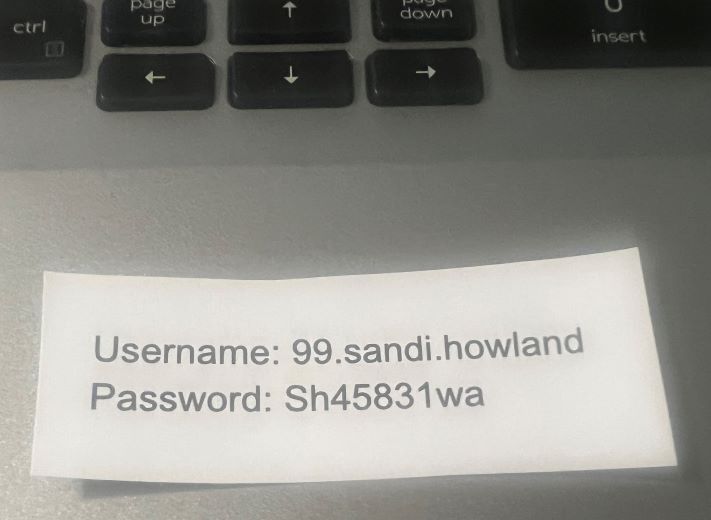
 If your student is testing in person, please tape a note with their username and password on their Chromebook. If they don't have a Chromebook, send the information with them on a piece of paper.                 


Make sure your student can log into Rapid Identity and Renaissance Place.


 DURING TESTING
 Once everyone is logged in, we will have the students begin the test.
 Students taking Star Early Literacy will use headphones. Please bring headphones with you if possible.
 Students may use scratch paper for the math assessment.


TESTING VIRTUALLY
 
Students need to have their cameras on at all times.
 Parents may not help in ANY WAY. Do not read for them rephrase questions, help with an answer, and no calculators. 
 This would void the test and doesn't show us the student's true progress.
It is recommended that those taking Star Early Literacy take it in person. Occasionally the proctor needs to talk to a student taking the test which can be distracting for our early learners listening to the test.

Online students will test virtually with their online teacher during their regular weekly check-ins. You do not need to sign up below. If you want to have your online student test in-person, please sign up for an in-person time slot.
 
 Click
HERE to access TEAMS for virtual testing.
 If you would like your student to sign into TEAMS from their Chromebook, 
  email carrie.deforest@ksd.org or call the office and we can email it to your student.  Teams Link

 Sign up for testing below if you are viewing on a computer OR
at the beginning of this post if you are viewing on your phone.